
Milpitas People Directory Landscape
People directories for Milpitas split into current staff lists, public registries, address tools, and historical collections. Each answers a different question. A city directory can locate a public office contact. A school list can confirm a teacher or principal. Business and professional databases connect a person with a licensed trade or entity, while regional library collections can place a former resident at an address decades ago.
| Directory source | People or roles shown | Custodian | Way to use it |
|---|---|---|---|
| City staff directory | Departments and named staff | City of Milpitas | Category or name search online |
| MUSD school directories | Principals, teachers, and school staff | Milpitas Unified School District | School list and staff pages online |
| California Personnel Office Directory | State agency personnel and payroll contacts | State Controller | Browse by agency or alphabet online |
| Business and license searches | Active businesses and licensed professionals | Milpitas, California SOS, and DCA | Name, address, type, or license search |
| Property and deed records | Parcels and recorded-document parties | Santa Clara County | Address/APN online, deed names in person |
| California Room directories | Past residents, spouses, adult children, and occupants | San Jose Public Library | Print, microfilm, digital, and licensed access |
Start with the source that matches the known fact. A work role points to a staff or license directory. A company name fits the city business search or state entity database. For an old Milpitas home, the California Room's city, phone, and reverse directories are stronger than a current web list. Property and voter records have stricter limits and should not be treated as open resident rolls.
Search Milpitas Staff Directories
The Milpitas city staff directory is a true government people directory. Its category list reaches the City Clerk, City Council, City Manager, Finance, Fire, Police, Public Works, Building Safety, Planning, Recreation, and many smaller service units. A visitor can choose a category or enter a first and last name. Department pages may also list a main address, office hours, a shared phone number, named staff, titles, and direct lines.
The source screen shows how those filters are presented. View the City of Milpitas directory search before using the fields below.
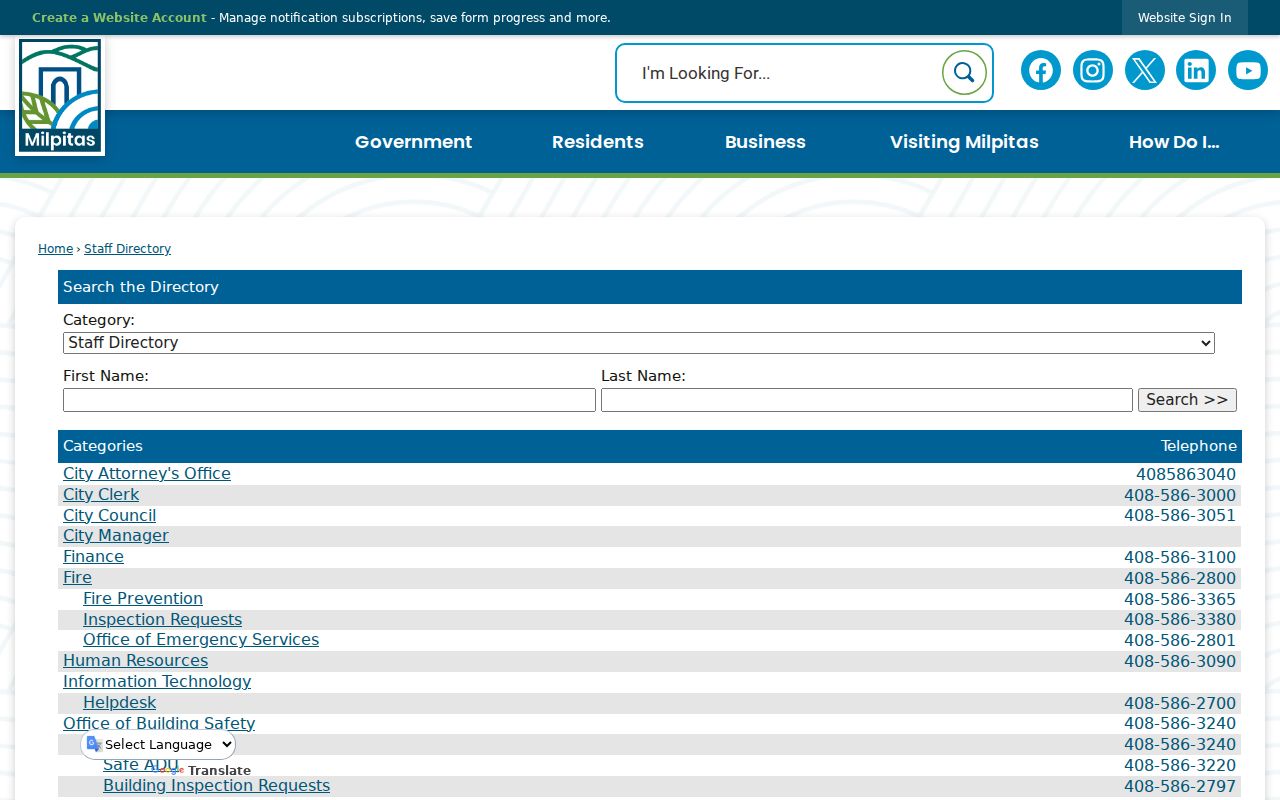
The captured page confirms that category and name searches are the core routes into the municipal directory.
| Department | Office name and service category |
|---|---|
| Address | Physical location shown on a department entry |
| Main contact | Department phone and posted office hours |
| Staff name | Full name when an employee is individually listed |
| Role | Published position, such as City Clerk or Deputy City Clerk |
| Direct line | Individual work phone when published |
If a name is absent, use the matching department's main line. The City Clerk can also route questions about council records, campaign filings, Form 700 statements, and boards or commissions. Those civic records identify elected officials, appointed members, candidates, and other participants even when the staff directory does not.
Milpitas School Directory Filters
The MUSD district schools directory lists campuses, addresses, phone numbers, and principals. It is the best first stop when the school is known but the staff member is not. The district page connects to local school sites, where directory formats vary. Curtner Elementary offers a searchable directory, while the MUSD Middle College High School page publishes a concise staff list.
The district-wide view makes school selection easier. Open the official MUSD school list to compare its campus entries.
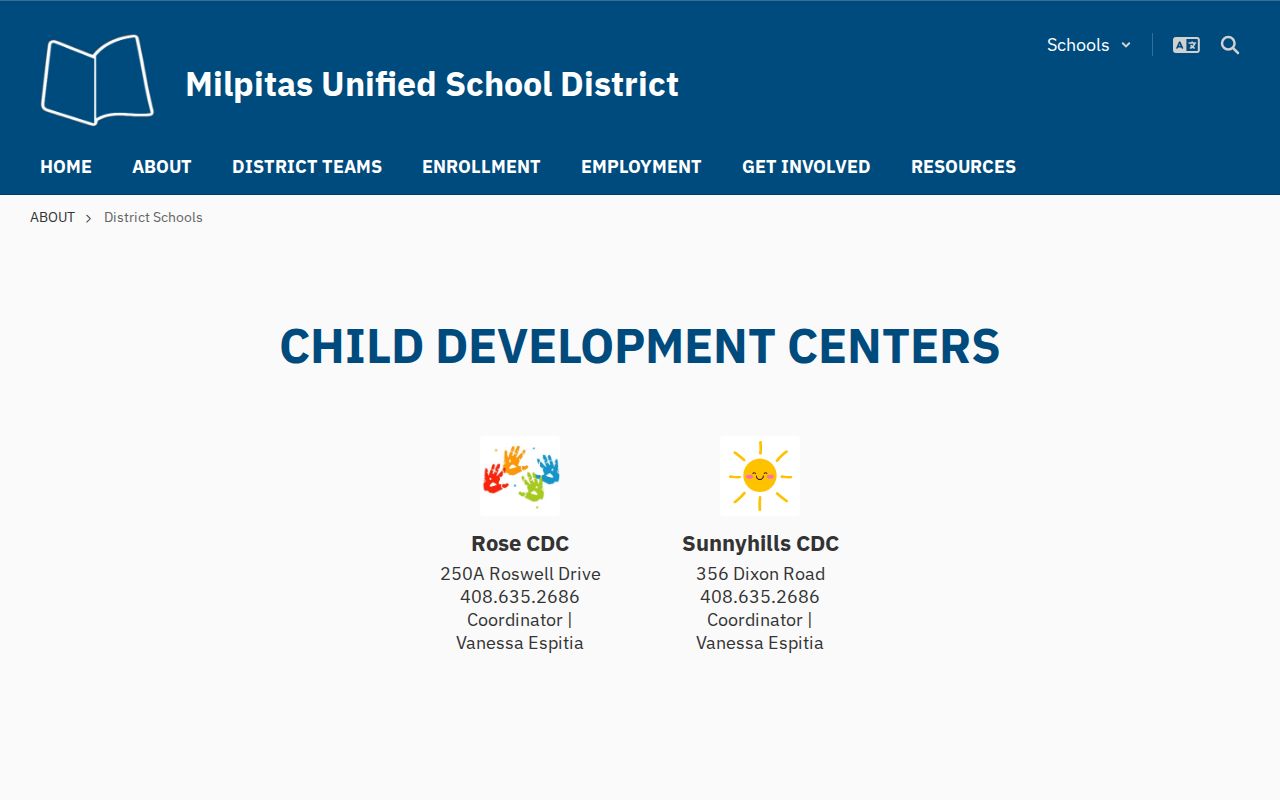
The screenshot shows why campus name and principal are useful stepping stones before searching an individual staff page.
| Curtner field | Input type | Required | Search detail |
|---|---|---|---|
| First Name | Text | No | Can be used alone or with other fields |
| Last Name | Text | No | Supports surname searching |
| Title | Dropdown | No | Includes teachers, principal, librarian, counselors, aides, and support roles |
| Department | Dropdown | No | Includes office, health office, library, cafeteria, and room locations |
The Curtner staff directory displays the actual name, title, and department controls.
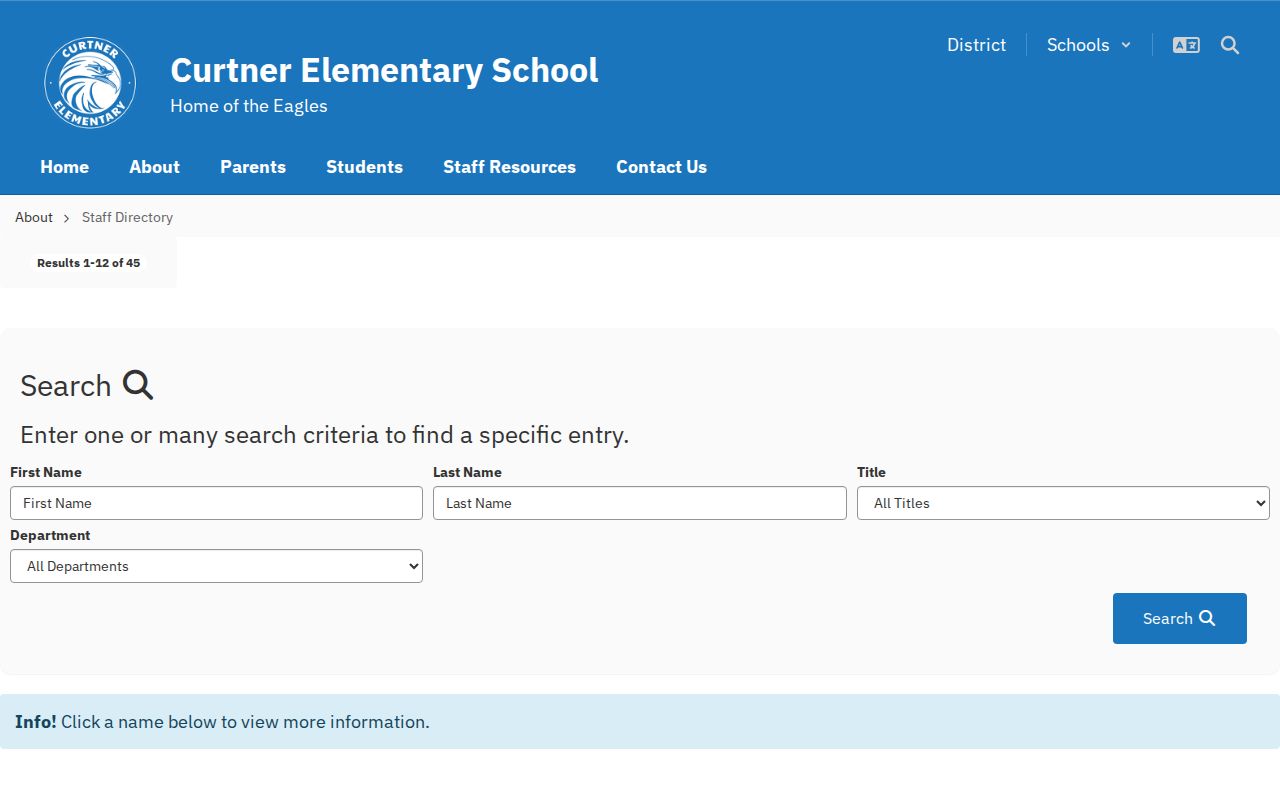
Its role and room filters can narrow a broad name search without requiring every field.
The MUSD Middle College staff list uses a simpler entry style.
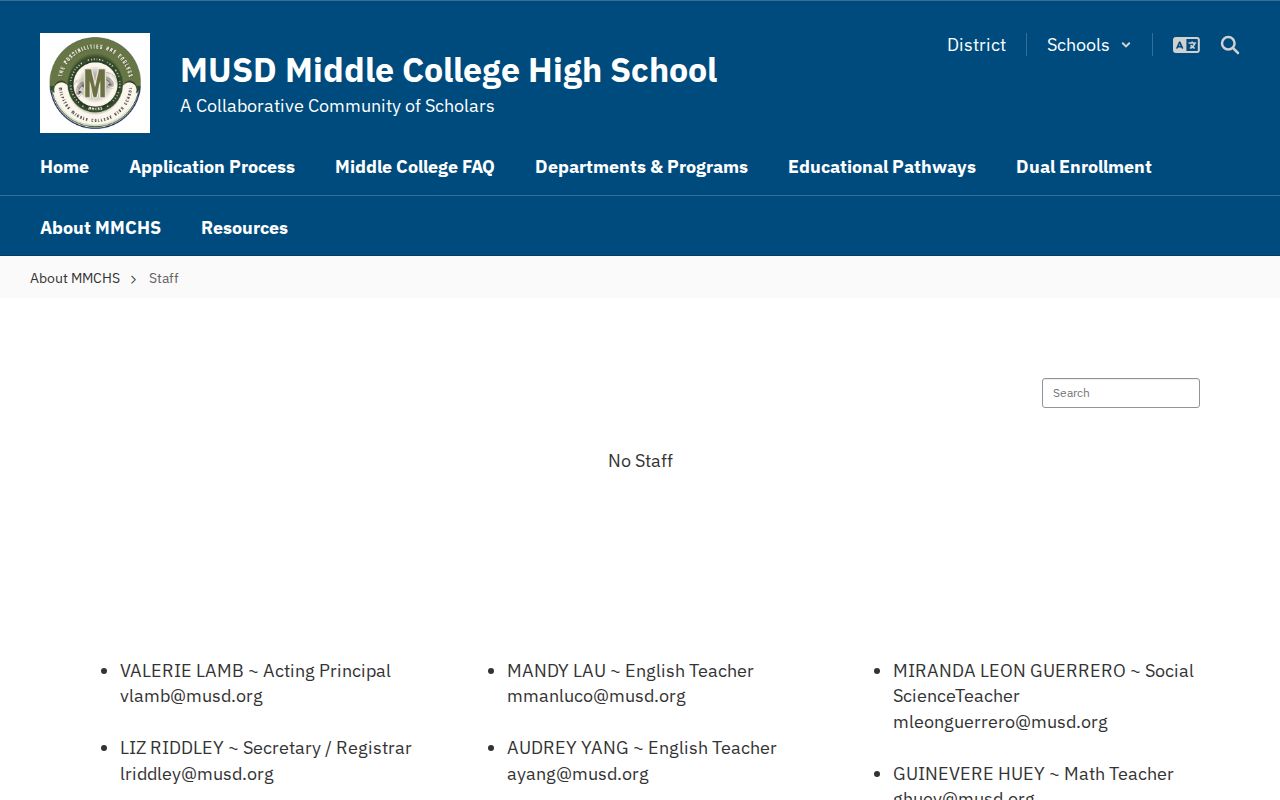
That list confirms the sample entry fields: staff name, role, email, school address, and school phone.
California Agency Directory for Milpitas
Milpitas directory work sometimes leads beyond city offices. The California Personnel Office Directory, maintained by the State Controller, is designed around agency personnel and payroll contacts. It can be browsed by agency or alphabet. This makes it useful when the known fact is a state department rather than a city unit or local school.
The official search page shows the directory's agency-centered structure. Browse the California Personnel Office Directory for the current listings.
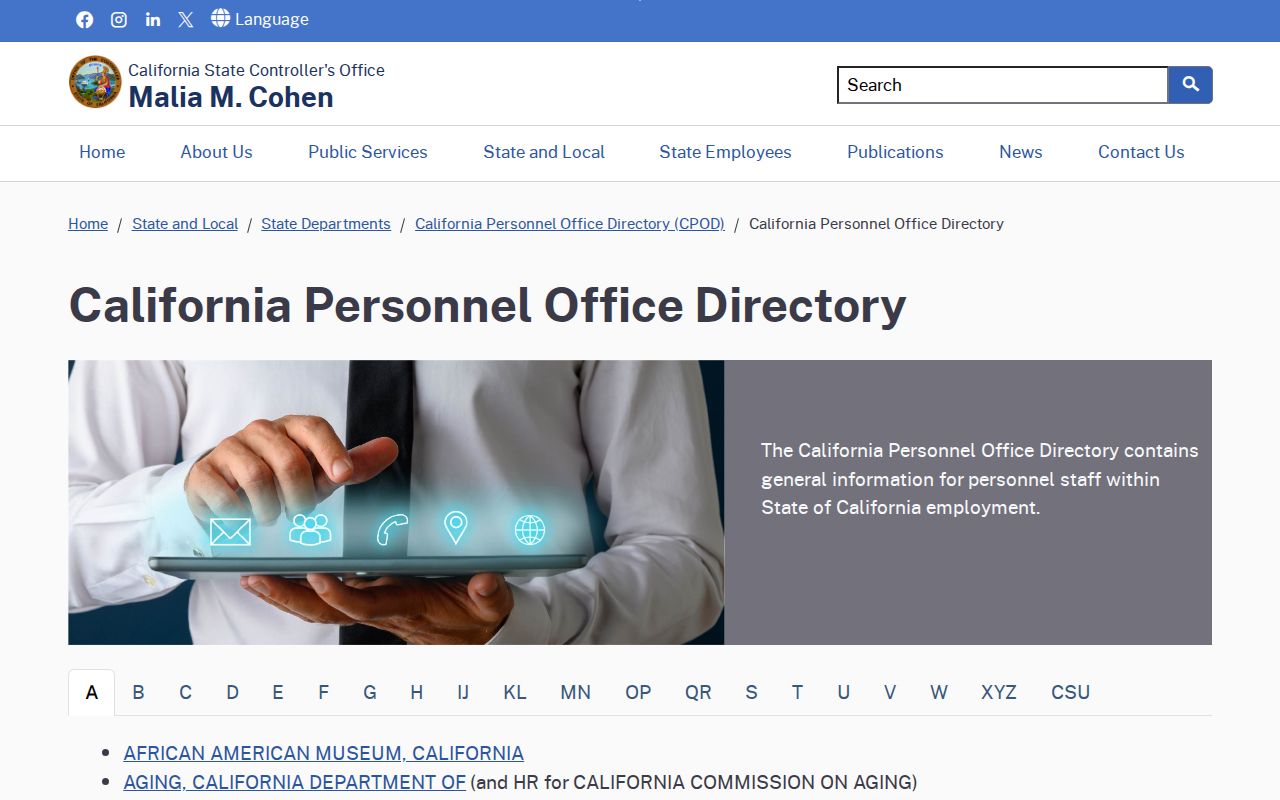
The image distinguishes this statewide office directory from a resident or address directory.
Choose the government level carefully. A Milpitas service issue belongs with the city directory. County recorder, assessor, court, voter, and sheriff questions go to Santa Clara County. State agency contacts belong in the Controller's directory. That split avoids searching a statewide list for a local employee who would never appear there.
Milpitas Business and License Directories
Official business directories can connect a name, commercial address, trade, or license number with a public registration. The Milpitas Business License Search covers active local businesses and accepts business name, business address, or business type. Its long type list includes contractors, education, manufacturing, medical, retail, real estate, repair services, and many other categories.
Three additional directories fill different gaps:
- California bizfile Online searches state business entities, filings, and public agent or officer details.
- DCA License Search accepts first name, last name, license number, and business name, with board and license filters.
- Board-specific directories cover attorneys, contractors, real estate licensees, medical professionals, nurses, teachers, and alcohol licenses.
- The Milpitas Chamber directory identifies current member businesses, but it is an association list rather than a government record.
A city license and a Secretary of State filing are not interchangeable. A local sole proprietor may appear in the Milpitas directory without an obvious corporation or LLC result. Conversely, a state entity record may exist even when the business has no active local license entry.
Note: Search both personal and entity names when a Milpitas business contact may use a company, trade, or fictitious business name.
Milpitas Property Directory Limits
Santa Clara County property tools are not online owner directories. The Assessor's Real Property Search and Property Explorer accept a street address, Assessor Parcel Number, or map location, but the county does not permit owner-name searches and does not display individual owners online. An APN is the county's parcel identifier. It can be entered with or without dashes.
Directory limit: An address can identify a parcel online, but it cannot reveal an individual owner's name through the public Assessor portal.
The recorder layer is also offline. Santa Clara County ended its public online Official Records Index in 2018, though recorded real estate documents exist from 1850 forward. Names of grantors and grantees, meaning the parties transferring and receiving an interest, can be researched at the Clerk-Recorder office. Address and APN are not recorder index fields, so parcel details must first be converted into a document number, legal description, or other usable record reference.
For the full request rules, copy channels, and access law, use the Milpitas public records search. On this directory page, the key distinction is simple: the assessor is an address and parcel tool, while the recorder's party index requires an office visit or data product.
Milpitas Historical Directory Timeline
Historical people directories for Milpitas are strongest at the San Jose Public Library California Room. Milpitas was rural before its 1954 incorporation, so an older resident may be indexed under San Jose vicinity, another Santa Clara County community, a rural district, or a subdivision rather than a separate Milpitas heading. The library advises checking its City Directories Index to learn which places a given volume covers.
The collection page documents the range of formats. Review the California Room news and directories holdings before planning research.
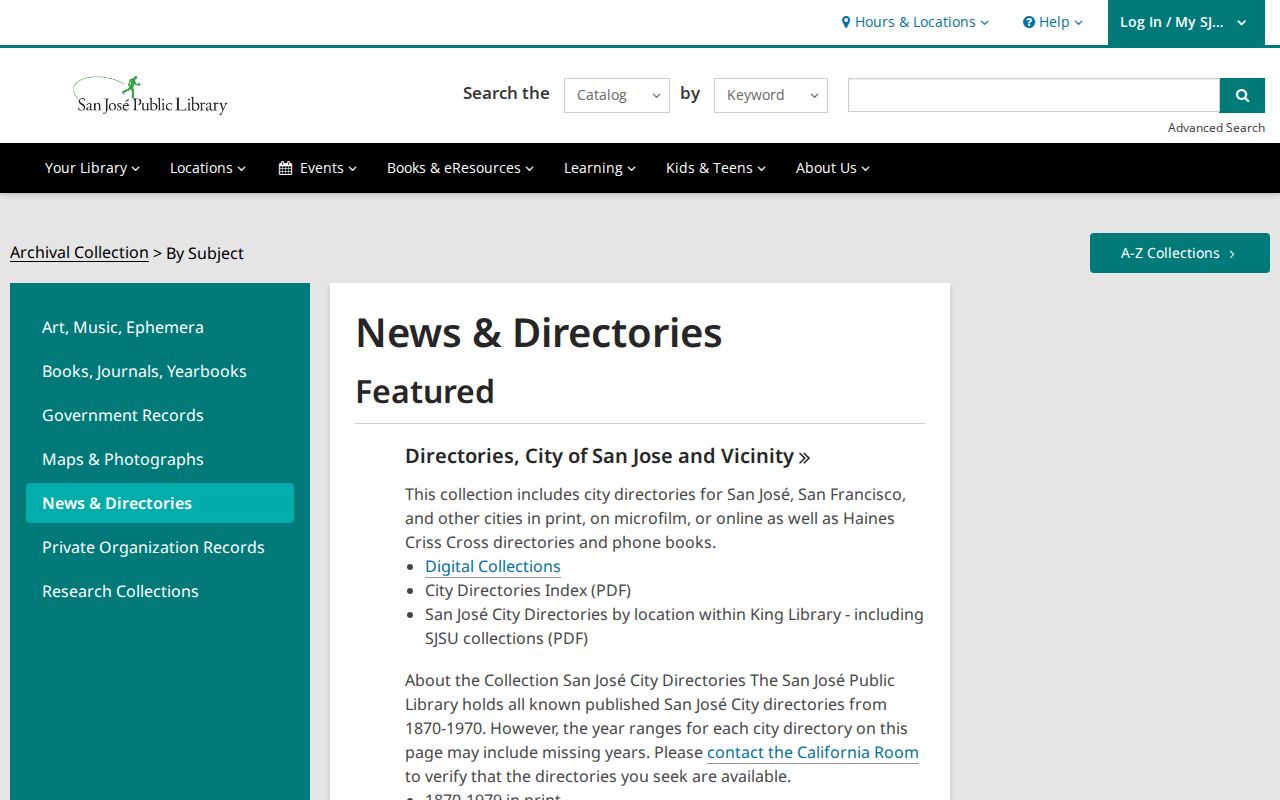
The image anchors Milpitas historical searches in the regional directory collection that actually preserves these sources.
- 1870 to 1979: San Jose city directories are held in print, with earlier volumes often covering other county cities.
- Before 1911: directories generally listed property owners, so a missing spouse or adult child is not proof of absence.
- From 1911: spouses and children over 18 began to appear.
- From 1913: street indexes made address-to-resident searching possible.
- Mid-1960s onward: Haines and Pacific Bell reverse directories helped trace suburban occupants after the city-directory era.
The California Room holds 1870 to 1960 directories on microfilm and selected digital volumes, plus print runs through 1979. Its “Covering San Jose Suburban” holdings for 1968 to 1974 may be especially useful for postwar Milpitas neighborhoods.
Reverse Directories for Milpitas Addresses
A reverse, or criss-cross, directory starts with an address rather than a surname. Haines and Pacific Bell volumes from the mid-1960s can identify who was associated with a house after conventional city directories stopped publication. They may also cover places outside San Jose, which matters for a growing Milpitas during its suburban and industrial expansion.
- City directory
- A name-based annual volume that may show residence, occupation, spouse, or adult household members, depending on year.
- Street index
- An address-ordered section used to move from a house number to listed residents.
- Criss-cross directory
- A reverse directory organized by street address or telephone number rather than surname.
- Situs address
- The physical property location, which can differ from a mailing address or an older street name.
Street names, house numbers, and parcels can change. Compare adjacent years and check the library's street-name-change resources when an address vanishes. For pre-1954 Milpitas, also test countywide and San Jose-vicinity labels. Pair the directory entry with a census, deed, permit, or newspaper item before treating the occupant as the owner.
Milpitas Names in News Directories
Newspapers function as event-based name directories. The California Room provides clipping files, scrapbooks, newspaper microfilm, and NewsBank access. Its San Jose Mercury News historical archive covers 1900 to 1985 for library cardholders, with NewsBank continuing from 1985 to the present. Digitized San Jose newspapers from 1861 to 1922 are also available through the California Digital Newspaper Collection.
These sources can connect a Milpitas name to an obituary, marriage notice, school event, civic appointment, business opening, court report, or address. Search name variants and initials, then use the publication date to choose a matching city directory year. For family history, maiden and married surnames may open different sets of results.
Newspapers do not prove that every detail is correct. They are most useful as an index into a dated event that can be checked against an official certificate, court file, recorded document, or directory entry.
Milpitas Directory Access Channels
Not every Milpitas directory is a free web search. Current city, school, business, professional, and state agency directories are online. Historical sources may require a library card, an on-site visit, microfilm, or help from reference staff. Recorded-document names require in-person county research, while the Assessor remains limited to address, APN, and map searching.
Use the available channels in this order:
- Search the official city, MUSD, state agency, business, or license portal when the role is current.
- Call the department, school, or library reference desk if a person is not individually listed.
- Check the California Room's print, microfilm, licensed databases, and City Directories Index for past residents.
- Use the California State Library directory collection when regional holdings do not cover the needed place or year.
- Visit the Santa Clara County Clerk-Recorder when a recorded-document party name is the needed directory entry.
Each channel reflects a real access boundary. The best result often comes from linking two directory types, such as a school staff entry with a district campus list, or an old street index with a newspaper notice. Use names and addresses for lawful personal research, and never use directory details to stalk, harass, or harm anyone.